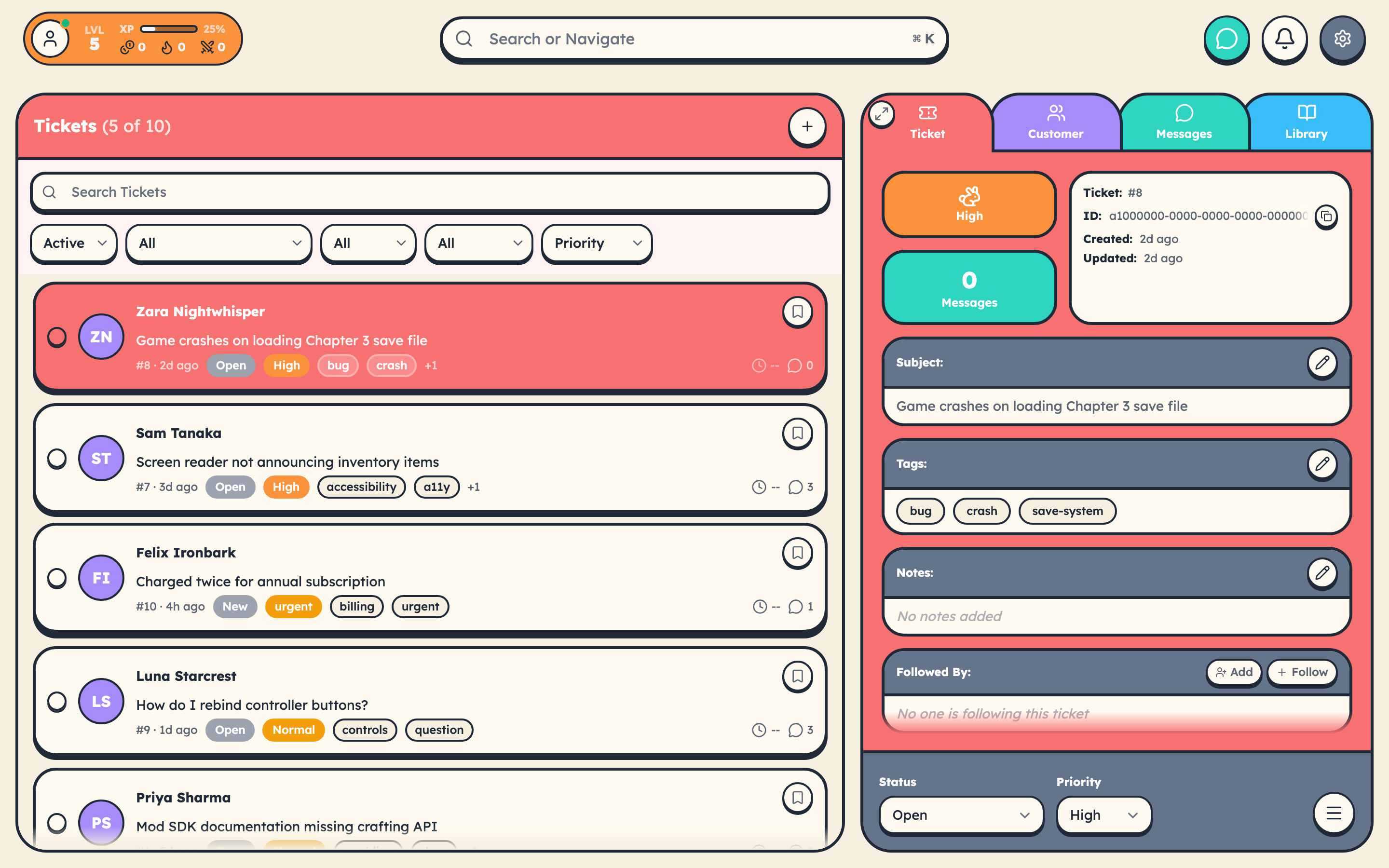
Setting up a support tool usually involves a sales call, a 3-week implementation, and a consultant named Greg. cStar takes about 5 minutes.
Step 1: Create Your Team (30 seconds)
Head to cstar.help/team/signup and create your account. You'll pick your hero name and your team name. That's it.
Step 2: Add the Chat Widget (60 seconds)
After signup, you'll see your widget embed code. One script tag:
<script src="https://www.cstar.help/cstar.js?team=your-team-slug"></script>
Add it before the closing </body> tag on your site. Done.
Step 3: Explore Your Dashboard
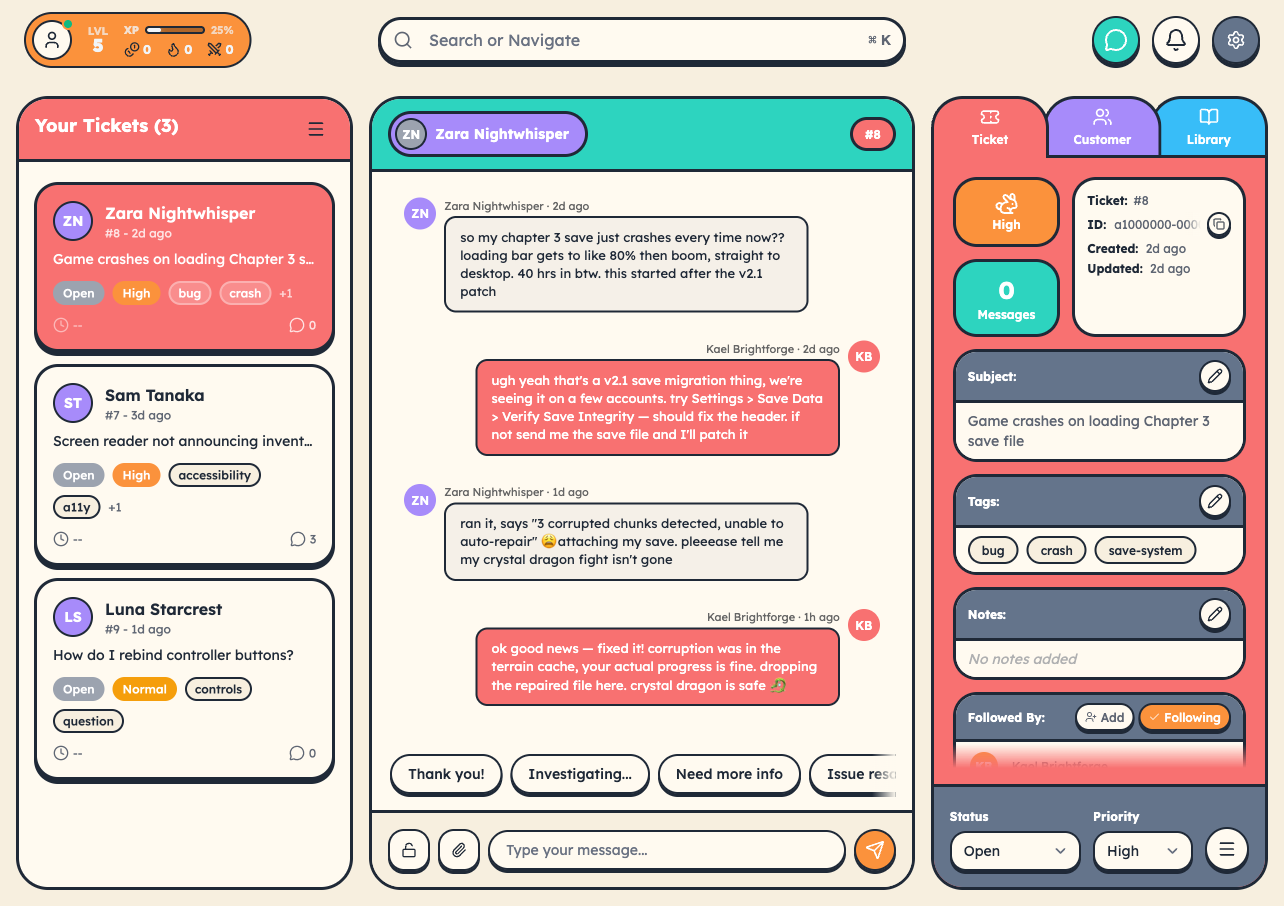
Your dashboard is your home base — followed tickets on the left, conversation view in the center, details on the right. The top bar shows your level, XP, gold, streaks, and boss kills.
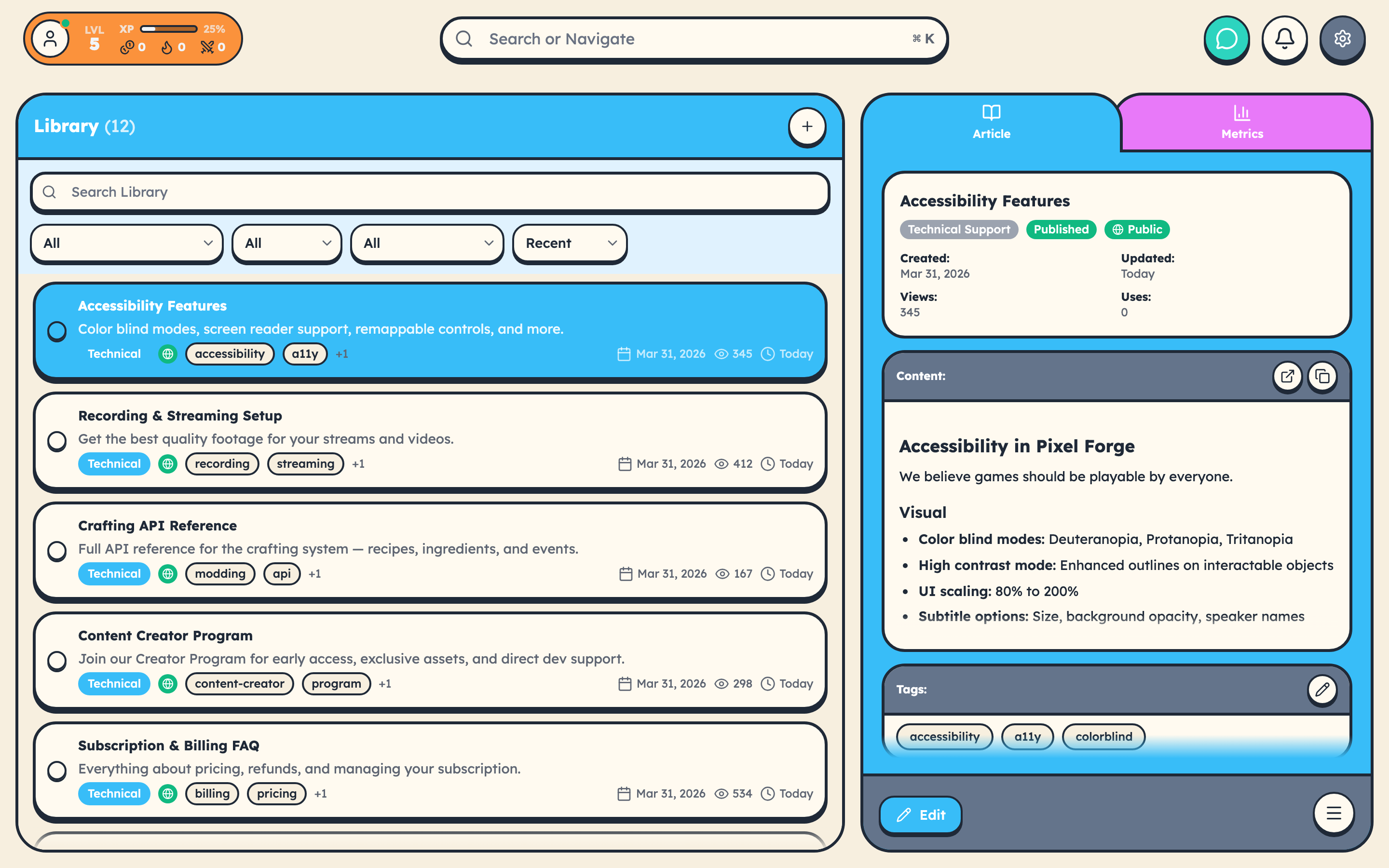
Step 4: Set Up Your Knowledge Base
Head to Library and create articles organized by category. Toggle "Public" to make them visible at cstar.help/library/your-team.
Step 5: Resolve Your First Ticket
Send yourself a test message through the widget, then resolve it from the dashboard. You just earned your first XP!
What's Next?
- Invite your team — Settings > Team Members
- Configure SLA rules — Settings > SLA Rules
- Set up webhooks — Settings > Webhooks
- Customize your widget — Settings > Chat Widget
Start free trial →