cStar is built for teams. Here's how to get yours set up.
Inviting Members
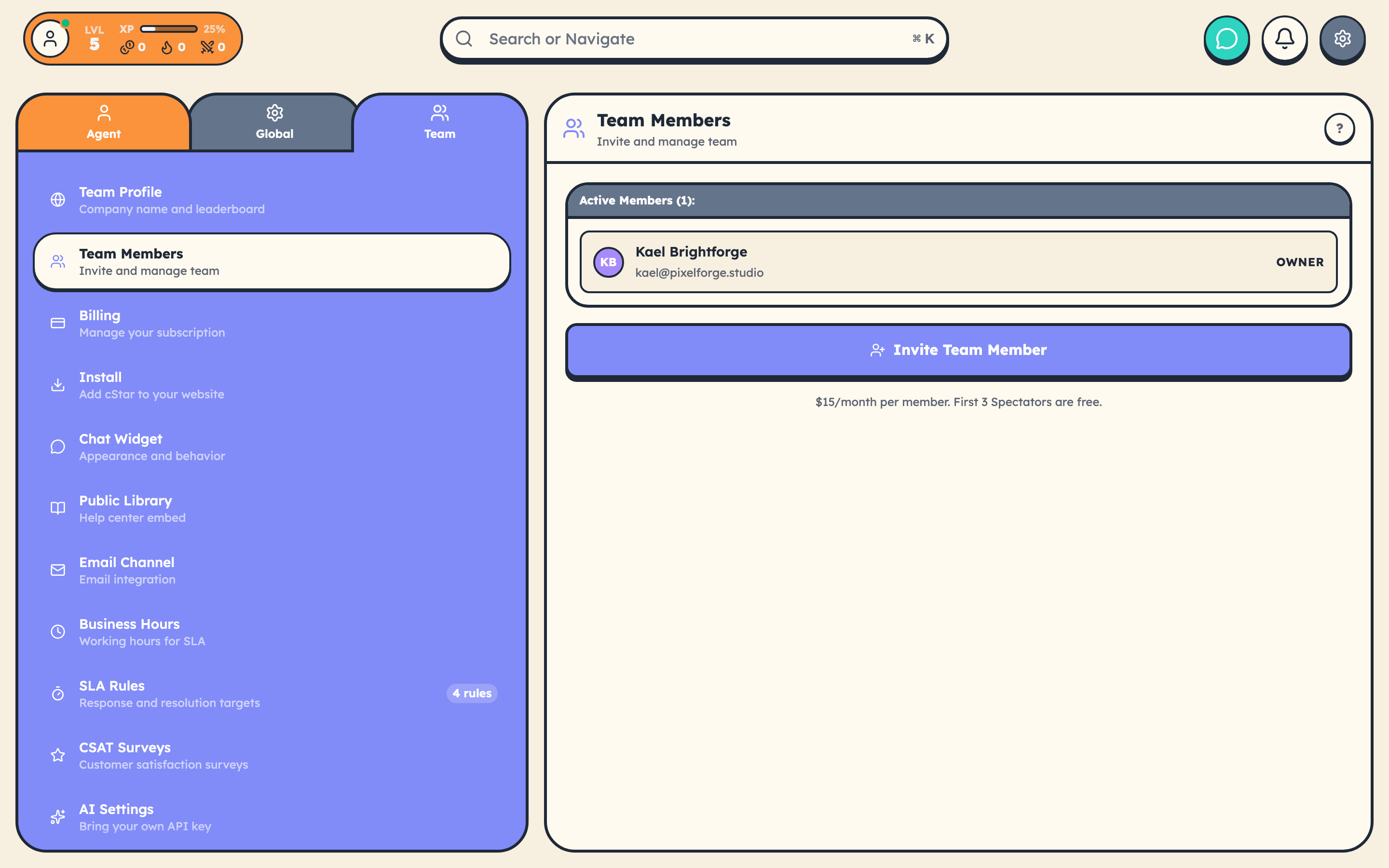
- Go to Settings → Team → Team Members.
- Click Invite Member.
- Enter their email address.
- Choose a role.
- Send the invitation.
They receive an email, click a link, and they're on the team.
The Six Roles
cStar uses six roles, each with a game title and entity color.
| Role | Game Title | Color | What They Can Do |
|---|---|---|---|
| Owner | The Guildmaster | night | Everything, including billing and team deletion |
| Admin | The Commander | indigo | Everything except billing |
| Manager | The Captain | orange | Team lead, escalation, SLA, bulk operations, exports |
| Librarian | The Lorekeeper | sky | Knowledge base specialist (articles, quick replies) |
| Agent | The Hero | coral | Frontline support: works tickets, manages customers |
| Spectator | The Watcher | fuchsia | Read-only observer |
Permission Boundaries (the important rows)
The full matrix lives at src/lib/config/permissions.js, but the rows people care about most:
- Billing: Owner only.
- Invite/manage members, settings, integrations, API keys, webhooks: Owner and Admin.
- SLA rules, custom fields, reassign tickets, review tickets, bulk operations, export data: Owner, Admin, and Manager.
- Delete tickets and customers: Owner, Admin, and Manager.
- Articles and quick replies: Owner, Admin, Manager, Librarian.
- Work tickets, manage customers: Owner, Admin, Manager, Agent (Librarian and Spectator can view but not change).
- View everything (read-only): All roles, including Spectator.
- Game participation: All roles.
The most common mistake: assuming Manager and Agent have the same powers. They don't. Manager has destructive permissions (delete, bulk delete, reassign) that Agent doesn't.
Billing for Seats
Every human team member is a seat at $15/month. The first 3 Spectator seats are free, after that they're billed at the standard rate.
AI agents don't count as billable seats. Bring your own OpenRouter key, run unlimited agents.
Team Features (most are toggleable)
The team Owner or Admin can flip these on or off in onboarding, or later from Settings → Global:
- Tickets (always on)
- Customers (always on)
- Library
- Community
- Quick Help (anonymous AI Q&A)
- AI (drafts, tone, translation)
- AI Agents
- Boss Battles and the rest of the gamification layer
If your team finds gamification distracting, turn off Boss Battles. If a leaderboard creates stress, turn that off too. cStar adapts to your team, not the other way around.
1-Ups
Recognize a teammate who helped you out. Click their avatar, send a 1-Up with an optional message. They get 10 XP and a notification. Do this more than you think you should.
Leaderboards
See who's performing well this week. Top earners, tickets closed, fastest responders. Off by default for new teams. Turn them on if you want them.
Boss Battles
When your ticket queue spikes, a boss spawns. The team works together to defeat it by resolving tickets before the timer runs out. Everyone who participates earns bonus XP and rewards.
Best Practices
- Start with 1-2 Admins. Everyone else can be an Agent until you know they need broader access.
- Review team access periodically. People leave, responsibilities shift.
- Use 1-Ups to reinforce the behaviors you want to see.
Related Articles: