Coming from Zendesk, Freshdesk, or Intercom? You might be expecting an "Organizations" feature. cStar uses tags instead. Here is why that works well for most teams.
Why Tags Instead of Organizations
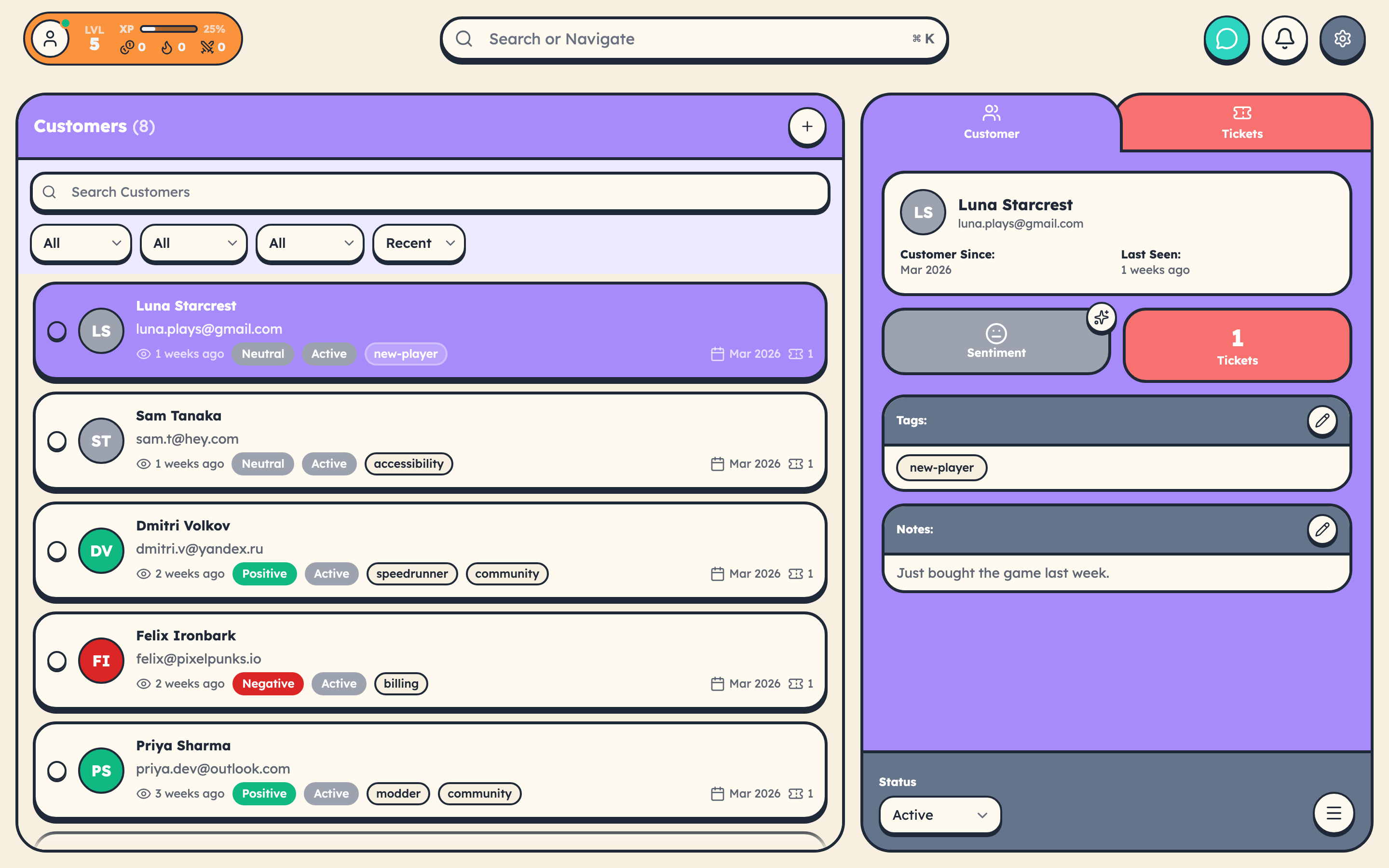
Organizations in traditional helpdesks are rigid. A customer can belong to only one organization, setting them up is a multi-step process, and changing membership requires navigating separate management screens.
Tags are flexible:
- A customer can have multiple tags
- Create tags on the fly as you need them
- Add or remove tags instantly from the customer panel
- Filter and search by any combination of tags
How to Group Customers
By Company
Use a prefix convention: company:acme-corp, company:globex, company:initech.
By Tier
Segment by service level: enterprise, pro, starter, free-trial.
By Status
Track customer health: vip, at-risk, churned, new.
Working with Tagged Customers
Finding a Group
- Go to the Customers page
- Use the Tags filter
- Select your tag (for example,
company:acme-corp) - All matching customers appear
Bulk Tagging
Select multiple customers with the checkboxes, click Bulk Actions, and choose Add Tags or Remove Tags.
When Would You Need Organizations
Traditional organization structures make sense only if you need per-org SLAs, per-org billing, shared ticket visibility between contacts, or dedicated account management. For most support teams, tags cover grouping perfectly.
Tips for Consistent Tagging
- Use prefixes for clarity:
company:,industry:,region: - Stick to lowercase with hyphens for spaces
- Aim for 3-5 tags per customer -- enough to be useful, not so many that they become noise
- Periodically review and clean up unused tags in Settings