Your quest log is empty. Time to fix that.
The Short Version
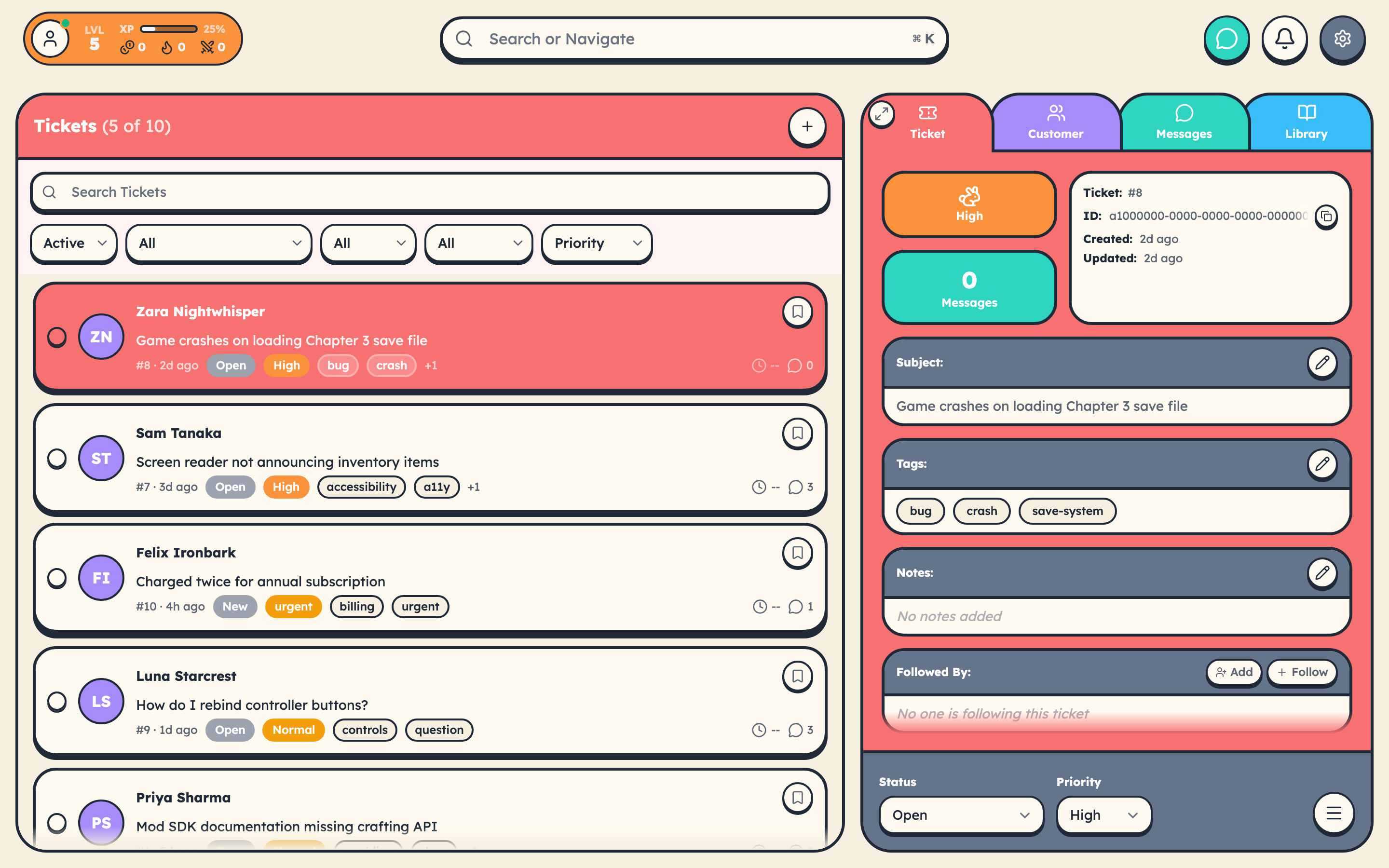
- Click + New Ticket in the tickets panel.
- Fill in the Subject, pick a Customer, set Priority.
- Add an initial message if you have context.
- Hit Create.
- Resolve it. Earn XP. Level up.
The Details
Required Fields
Subject is a short description of the problem. "Login broken on mobile" beats a paragraph that buries the lede.
Customer is who needs help. Pick from the list or create a new customer on the fly.
Priority sets urgency and base XP:
| Priority | XP Reward | When to Use |
|---|---|---|
| Urgent | 75 XP | Everything is on fire |
| High | 50 XP | Important, not apocalyptic |
| Normal | 25 XP | Standard work, most tickets |
| Low | 10 XP | Nice to handle when you have time |
(If your team's priority labels are customized, the underlying values still map to these four.)
Optional Fields
Tags: categorize for easier filtering later.
Initial Message: context to get the conversation started.
Attachments: screenshots, logs, whatever helps.
The Ticket Lifecycle
| Status | What it means |
|---|---|
| New | Just created, waiting for someone to pick it up |
| Open | Actively being worked |
| Pending / Waiting on customer | Ball is in their court (SLA timer pauses here, if your team has those statuses configured to pause SLA) |
| Resolved | Fixed, waiting for confirmation |
| Closed | Done. XP awarded. |
The exact list of statuses and which ones pause SLA is configurable per team in Settings → Global → Ticket Statuses.
How XP Works for Tickets
You earn XP when a ticket you're assigned to is closed. The amount depends on priority, SLA performance, efficiency (how few back-and-forth messages it took), and whether you've got an active streak going.
SLA tier multipliers stack: hitting Gold (resolved in under 25% of the target time) triples your ticket's XP value. Silver doubles it. Bronze pays standard. Missing the SLA pays nothing extra.
Don't worry about the math on your first ticket. Just help the customer and close it out. The system rewards good work naturally.
Your First Ticket Checklist
- Click + New Ticket
- Add a Subject and Customer
- Set Priority (Normal is fine when in doubt)
- Create it
- Respond with an actual solution
- Close it
- Watch the XP notification pop
Welcome to the party.